
OfficeOS blog
Why small app updates stall
A small mobile change can create a full release job. OfficeOS helps app owners move from request to tested update without managing the whole path.
Your users ask for a small change.
A label needs better wording. A signup screen needs one more question. A bug shows up after a device update. A pricing screen needs a test before the next campaign.
You can describe the update in one sentence. The work after that sentence creates the drag.
Someone has to open the codebase, find the screen, make the change, check the flows, build the app, write release notes, and decide whether the update can ship. If you own the app but do not write the code, that job falls back on you as coordination work.
The request is small. The release path is not.
Mobile apps punish casual changes.
A copy update can touch localization, screenshots, layout, and App Store metadata. A new onboarding question can affect account creation, analytics, email capture, and saved user profiles. A paywall tweak can affect purchases, restore flows, trial terms, and review risk.
You do not need a large feature to create a release checklist. You need one change near a flow that users rely on.
That explains why small updates sit in your notes app for weeks. The task sounds too minor for a full agency thread, but too risky to toss into the app and hope. You delay the change because the release work costs more attention than the idea.
Developer management becomes the hidden product job
The owner usually starts with a brief:
- Change the onboarding copy on screen three.
- Add a question after signup.
- Test a new paid feature name.
- Fix the button that wraps on small phones.
Then the brief expands.
The developer asks where the copy lives. You look for old Figma files. Someone asks whether Android needs the same change. You wonder whether analytics will still fire. The build arrives. You test the happy path and miss the edge case. A user catches it after release.
None of this feels like product leadership. It feels like project cleanup.
Non-technical founders, creators, coaches, and small teams run into this pattern after launch. Before launch, the goal is clear: get the app out. After launch, users start asking for small fixes that reveal how fragile the delivery process is.
The missing piece is ownership of the update
Most app owners do not need another tool that writes code. They need someone to own the whole update path.
That starts with scope. A request like "make onboarding better" needs acceptance criteria before anyone opens the editor. Which screen changes? Which users see it? Which events should fire? Which flows must pass before release?
Then the code change needs context. The person making the update has to understand the app structure, the platform constraints, and the release process.
QA comes next. Small updates deserve focused checks, not a vague "looks good." Login, subscriptions, permissions, analytics, and the changed screen need direct review.
The final handoff matters too. You should know what changed, what passed, what still needs attention, and what to say in the release notes.
A better update request has five parts
Before you hand off a small update, write it in a format that protects your time.
- Name the user problem.
- Name the screen or flow.
- State the expected behavior.
- List the flows that must still work.
- Decide what counts as done.
That turns "change the onboarding" into a workable request:
New users should answer one goal question before they land on the home screen. Existing users should skip this step. Signup, login, analytics, and account creation must still pass. The release is done when TestFlight includes the new question and the QA report confirms those flows.
This kind of request gives the implementer less room to guess. It also gives you a sharper way to review the result.
OfficeOS turns the request into a release-ready update
OfficeOS exists for app owners who know the next change but do not want to manage another developer thread.
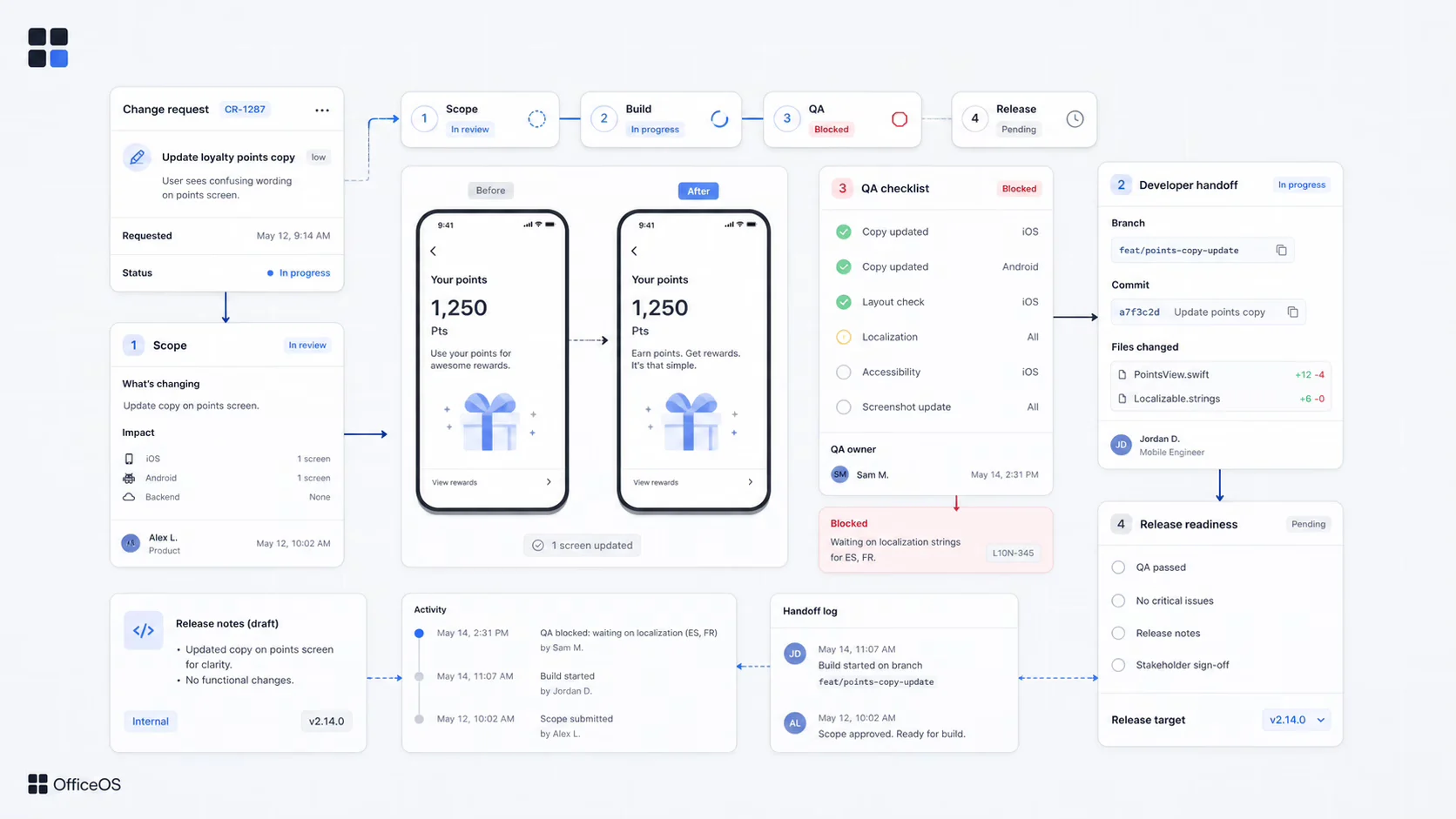
You send the update request. We check whether the app is ready for the change, turn the request into acceptance criteria, implement the update, run human QA, and package the release. You get the update plus a record of what changed and what passed.
That does not remove your product judgment. You still decide what your users need. OfficeOS removes the coordination work between the idea and the release.
Small updates matter because users judge the app after launch. They notice the confusing label, the broken button, the missing question, and the paywall copy that does not match the offer. The faster you handle those fixes, the less your app feels abandoned.
Your users have told you the next update. The question is whether you want to manage the release yourself.