
OfficeOS blog
Your paywall test needs a release plan
A mobile paywall test touches revenue, subscriptions, analytics, and App Store review. Treat it like a release, not a copy swap.
A paywall test sounds easy from the outside.
Change the headline. Rename the monthly plan. Move the trial copy. Put the annual plan first. Test a paid feature name before the next creator push.
The idea fits in a message. The risk does not.
Mobile paywalls sit next to the flows that keep the business alive: purchases, trials, restores, account state, analytics, and App Store review. A small change can affect money, trust, and support volume in the same release.
Revenue tests fail when owners treat them as copy jobs
Most app owners want paywall tests because they already see a signal. Users like the product but hesitate at the price. Trial starts look weak. Annual plan uptake trails monthly. Support messages show confusion about what paid users get.
The owner spots a test:
- Make the paid feature name clearer.
- Explain the trial before the price.
- Put the annual plan above monthly.
- Add proof near the purchase button.
Those ideas can help. They can also create trouble if the release process treats the paywall as a static screen.
A paywall connects to product IDs, entitlement checks, restore purchase behavior, analytics events, legal copy, screenshots, and review notes. If you change copy without checking those pieces, you can ship a test that breaks the result you wanted to measure.
A useful paywall test needs a tight scope
Start with the decision you want the test to inform.
"Improve conversion" creates too much room for guessing. "Test whether trial-first copy increases trial starts for new users" gives the implementer a target. It also tells QA where to look.
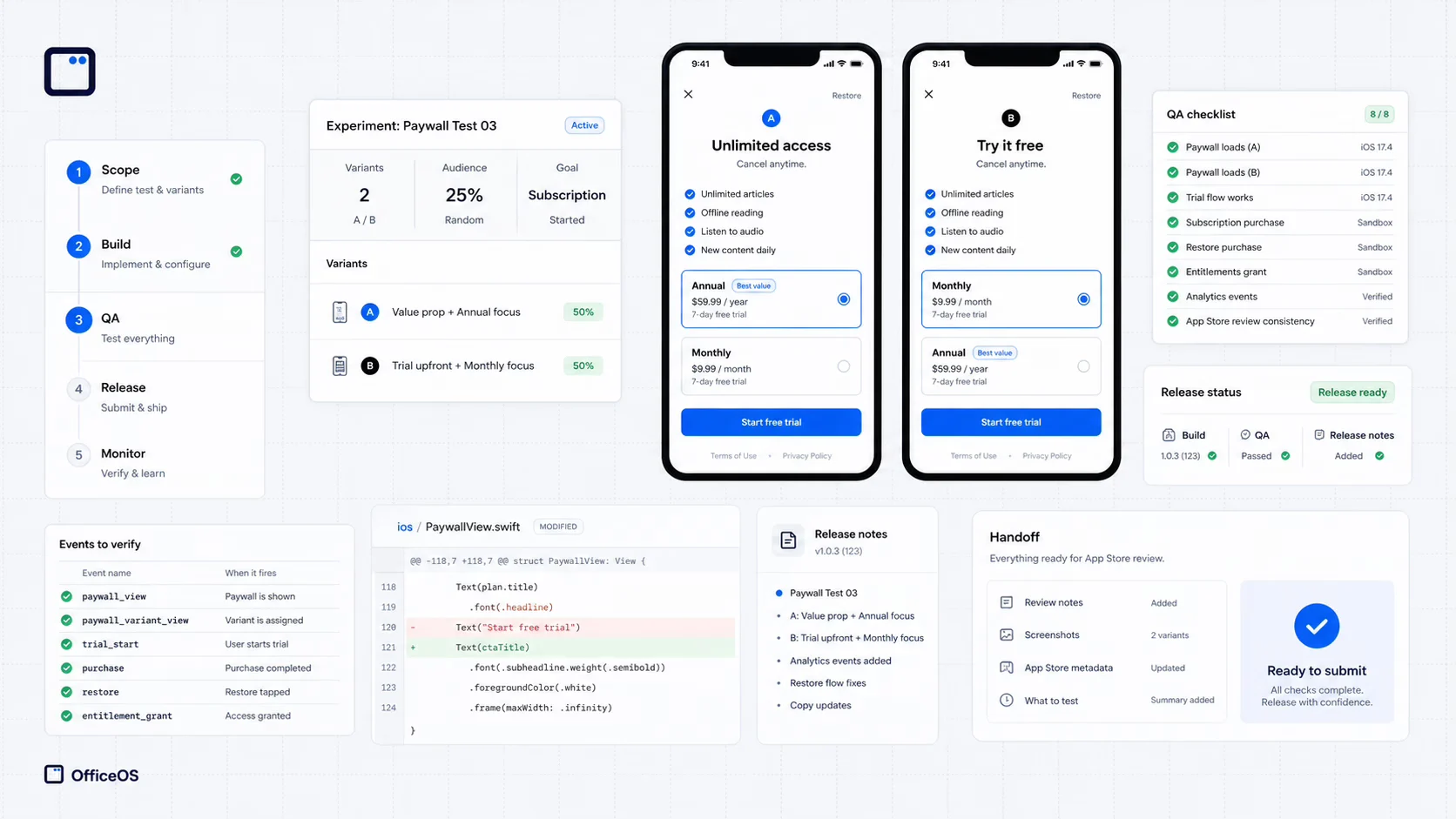
Good paywall scope includes:
- The user group that sees the change.
- The exact copy, layout, or offer change.
- The event you will compare after release.
- The purchase and restore flows that must pass.
- The App Store copy or metadata that must stay consistent.
That scope keeps the release honest. It stops a paywall test from turning into a redesign, and it protects the parts of the app that collect money.
QA should follow the payment path
Paywall QA should go beyond checking whether the new headline appears.
The tester should start as a new user, reach the paywall, see the right offer, start or skip the purchase, restore a previous purchase, and confirm the app grants access in the right places. Analytics should record the view, the tap, the purchase attempt, and the result.
The tester should also check the unglamorous states. No network. Small phone. Existing subscriber. Expired trial. User who closes the paywall and returns later. These paths catch the issues that produce support tickets.
You do not need a giant test suite for a small paywall change. You need a checklist tied to the way users buy.
App Store review cares about clarity
Paywall tests can create review friction when the app says one thing in the paywall and another thing in metadata, screenshots, terms, or subscription labels.
Reviewers care whether users understand the offer. Users care even more. If your paywall says "7-day trial" but the subscription screen, onboarding, or terms use different language, you create doubt at the point of purchase.
Before release, compare the new paywall against the rest of the app. The offer name, trial terms, billing period, feature access, and cancellation language should match. If the test changes the promise, update the surrounding copy before you submit.
Measure one thing after the release
A paywall test should answer a narrow question.
Pick one primary metric before the build ships. Trial starts, purchase taps, completed purchases, annual plan share, or restore issues can each tell you something. Mixing them after the fact makes the test easy to misread.
Support messages matter too. If conversion rises but users ask more billing questions, the test may have created confusion. Keep the update report, analytics event names, and release date in one place so you can read the result against the exact change.
OfficeOS handles the release work around the test
OfficeOS helps app owners ship revenue tests without turning them into open-ended developer projects.
You send the paywall change you want to test. We turn it into acceptance criteria, check the subscription and analytics flows, implement the update, run QA, and prepare the release notes. You get the test in a release-ready package with the checks documented.
That lets you keep the business decision. You choose the offer, the message, and the metric. OfficeOS handles the path between the idea and the build users can trust.
Paywall tests deserve speed, but they also deserve discipline. Revenue changes work best when the app owner can test the message without wondering whether the payment flow survived the release.